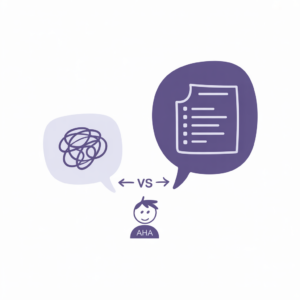
You’re staring at a 14-page Terms of Service document. Or a medical report full of words that end in “-itis.” Or a research paper that seems to have been written specifically to make you feel dumb.
Good news: you don’t have to decode any of it alone anymore. AI can translate dense, complicated text into plain English — in about 30 seconds, for free.
This guide shows you exactly how to do it, with prompts you can copy right now.
Why AI Is Surprisingly Good at This
Simplifying text isn’t just about swapping big words for small ones. It requires understanding what the text actually means — and then explaining it differently.
That’s something modern AI chatbots do remarkably well. They can take a paragraph written for lawyers or academics and reconstruct it for someone who just wants to know what it means for them.
The result isn’t always perfect. But it’s almost always better than staring at the original for twenty minutes.
The Four Types of Text AI Simplifies Best
1. Legal Documents and Terms of Service
Nobody reads Terms of Service. We all click “I Agree” and hope for the best. AI won’t make you actually enjoy reading them — but it will tell you what you’re agreeing to in two minutes instead of two hours.
Works especially well for: rental agreements, software licenses, privacy policies, employment contracts.
2. Medical and Health Reports
Lab results, discharge summaries, medication leaflets — medical documents are written for other doctors, not for the patient holding them. AI can decode the terminology and give you a plain-English summary you can actually act on.
Important note: Always follow up with your actual doctor. AI gives you a starting point for understanding, not a substitute for medical advice.
3. Academic and Research Papers
Academic writing is notorious for being needlessly complex. If you need to understand a paper for work, a class, or just personal curiosity, AI can pull out the key findings without you needing a PhD to get there.
4. Government and Official Documents
Tax forms. Immigration documents. Building permits. Official writing is often technical and dense by design. AI can cut through the boilerplate and tell you what actually applies to you.
Which Free AI Tools Work Best
For text simplification, you don’t need to pay for anything. The free tiers of the major AI chatbots handle this task extremely well. Here’s a quick comparison:
- ChatGPT (free tier): Excellent at simplification. Handles long documents well. The go-to for most beginners. chatgpt.com
- Claude (free tier): Arguably the best at nuanced text processing. Particularly good at keeping the meaning accurate while simplifying the language. claude.ai
- Gemini (free tier): Works well and integrates with Google Docs, which is useful if your document is already there. gemini.google.com
- Microsoft Copilot (free): Good option if you’re already working in Word or Edge. Can process documents directly.
All of these tools work with the prompts in this article. Not sure which one to use? We compared them head-to-head in ChatGPT vs Claude vs Gemini.
How to Simplify Text With AI: Step by Step
Step 1: Open your AI chatbot of choice
Go to chatgpt.com, claude.ai, or gemini.google.com. No account needed for basic use on most platforms, though a free account gives you higher limits.
Step 2: Copy the text you want simplified
Most AI tools can handle several pages of text. If your document is very long (20+ pages), break it into sections and process each one separately.
Step 3: Use one of the prompts below
Paste the prompt, add your text, and let the AI do the work. Adjust the prompt based on what kind of explanation you need.
Step 4: Ask follow-up questions
This is the underused superpower. After the initial summary, you can ask: “What does point 3 mean for me specifically?” or “Is there anything in this document I should be worried about?” The AI stays in context — you don’t have to start over.
4 Prompts to Copy Right Now
These prompts work with ChatGPT, Claude, Gemini, Copilot, and any other AI chatbot. They are universal.
Prompt 1: General Simplifier
Prompt 2: Legal Document Decoder
Prompt 3: Medical Report Summary
Prompt 4: Academic Paper Summarizer
Tips for Better Results
Be specific about your audience
Instead of just asking to “simplify,” tell the AI who it’s simplifying for. “Explain this to a 16-year-old” gets different results than “explain this to a non-specialist adult.” Both are useful depending on what you need.
Ask what to watch out for
For legal and financial documents especially, add: “Are there any terms in here that are unusual or that I should pay particular attention to?” AI is good at flagging red flags in contracts — a genuinely useful feature that most people don’t know to ask for.
Don’t just read the summary — ask questions
After getting a simplified version, use it as a launching point. “Can you explain what ‘indemnification’ means in the context of clause 4?” works better than trying to get everything in one giant prompt.
Verify anything important
AI is a fantastic first layer of understanding. For decisions that affect your health, finances, or legal standing, it’s a starting point — not a final answer. Use the AI-simplified version to get oriented, then consult a professional if the stakes are high.
How to Organize Your Simplified Documents
If you’re regularly simplifying complex documents for work or study, having a system to store them saves real time. Notion is an excellent free option for this — you can create a database of simplified documents, tag them by type (legal, medical, financial), and add your own notes alongside the AI summary.
The setup takes about 20 minutes and pays off immediately if you deal with documents regularly. Notion’s free plan is genuinely functional for this purpose, and the free tier covers most individual users’ needs.
A basic Notion setup for documents might look like:
- Database with columns for: Document name, Type, Date, Original file, AI Summary, Key Points, Action Items
- Tags for urgency and category
- A template that prompts you to fill in the key questions every time you add a new document
It sounds like more work than it is. Once it’s set up, processing a new document takes about five minutes and you never have to dig through email attachments to find that simplified lease agreement again.
Dedicated Simplification Tools (For Specific Use Cases)
Beyond general AI chatbots, a few dedicated tools exist for specific document types:
- ToS;DR (Terms of Service; Didn’t Read): A community project that rates and summarizes Terms of Service documents. Free, but limited to well-known services.
- Unriddle: Built specifically for research papers and academic content. Good for students and researchers.
- ChatPDF: Upload a PDF and chat with it directly. Covered in more detail in our guide How to Chat With Your PDFs Using AI.
For most people, the free AI chatbots are enough. The dedicated tools shine in specific workflows where you need slightly more structure.
The Bottom Line
Simplifying text with AI is one of the most immediately useful things you can do with these tools. It doesn’t require a subscription, a tutorial, or any technical skill. You paste text, ask a question, and get an explanation you can actually use.
The prompts above work with any major AI chatbot. Start with the General Simplifier and adjust from there. For more prompts across every category, visit our Free AI Prompt Library.
And if you’re still figuring out which AI tool to use, check out 10 Best AI Tools for Beginners — we break down what’s actually free, what’s actually useful, and what’s mostly hype.
More practical uses: See 7 ways AI simplifies your daily life and 5 ways AI saves you hours at work.
![How to Write AI Prompts That Actually Work [2026 Guide]](https://dumbitdownai.com/wp-content/uploads/2026/05/how-to-write-ai-prompts-featured-300x300.png)