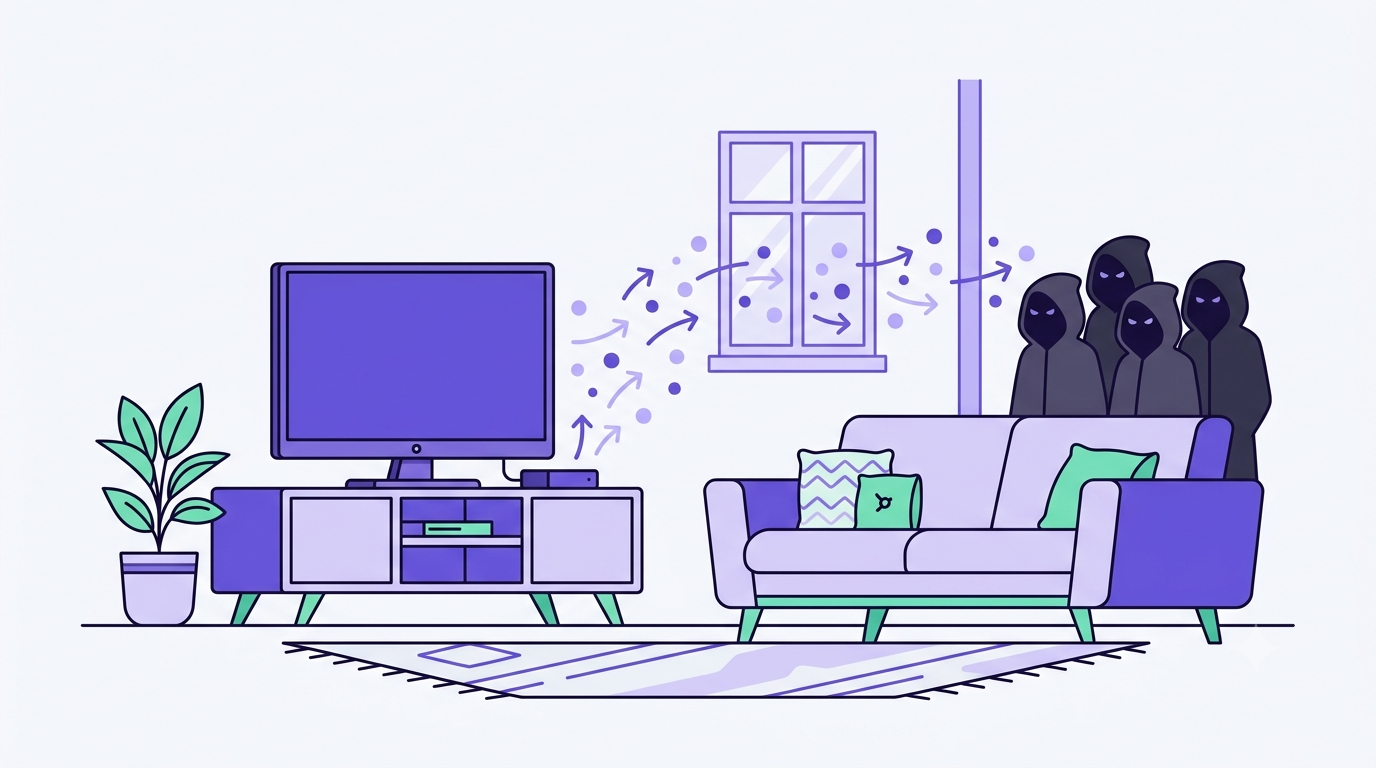
Right now, somewhere in your living room, a device you own might be moonlighting. Not for you. Your smart TV, that dusty streaming box behind the couch, an old phone charging in a drawer, maybe even your router — any of them could be quietly routing someone else’s internet traffic, on someone else’s behalf, without so much as a heads-up. The mechanism has a name that sounds almost boring: a “residential proxy.” The reality is less boring and considerably more your problem than you’d think.
What is a residential proxy, in plain English
A residential proxy is a network that routes someone else’s internet traffic through a real home’s IP address — yours, potentially. To whatever website or server receives that traffic, it doesn’t look like a bot or a data center. It looks like a normal household doing normal household things. Checking email. Watching a show. Being boring and legitimate.
That’s precisely why criminals love it. A datacenter IP or a commercial VPN gets flagged fast — security systems treat those as infrastructure and block them on sight. A real residential IP, though, sails through almost every filter, because it’s supposed to belong to an actual person. Congratulations, you might be that person.
How your device gets recruited
Nobody signs a contract that says “please turn my TV into criminal infrastructure.” It happens quieter than that, usually one of three ways.
1. It’s baked into a “free” app
Developers embed a proxy SDK inside free apps — games, utilities, smart-TV apps, the kind you install because paying $3 for an app felt unnecessary. In exchange for “free,” you agree to share some bandwidth and your IP address. It’s usually in the terms and conditions, in the section absolutely nobody reads, which is exactly the point.
2. It ships pre-installed
Some cheap Android TV boxes and streaming sticks arrive with the malware already on board, straight from the factory. This is the mechanism behind the BADBOX and “SuperBox” cases — devices that were compromised before they ever left the warehouse. You didn’t download anything shady. The shady part was already inside the box.
3. You technically opted in
Then there are the apps that promise to pay you for your idle bandwidth, Honeygain-style. Some people genuinely know what they’re signing up for. Most just see “earn a little money doing nothing” and don’t ask the obvious follow-up question: doing nothing, for whom, exactly?
How big this actually is
These aren’t fringe cases. In 2026, the scale became impossible to ignore — and it’s worth keeping the individual cases separate, because each one is large enough to stand on its own.
- NetNut network: Google and the FBI took down a proxy network built on roughly 2 million hijacked devices, mostly smart TVs and streaming boxes.
- IPIDEA: in a separate action reported by Google in January 2026, investigators found around 6.1 million IPs active on any given day, drawn from an estimated 5 million infected devices. Recruitment ran through more than 600 Android apps and 3,075 Windows binaries. Over 550 criminal groups reportedly used the network — for everything from espionage to credential-stuffing attacks to DDoS campaigns.
John Hultquist of Google Threat Intelligence summed it up bluntly: residential proxy networks have “become a pervasive tool for everything from high-end espionage to massive criminal schemes.” Not a niche problem. Infrastructure.
Why this is your problem, specifically
Here’s the part that turns an abstract security story into a personal one. If your device is part of one of these networks, someone else’s traffic — quite possibly criminal traffic — exits to the internet through your connection. Your IP address becomes, from the outside, the source of whatever they’re doing: scanning, fraud, credential attacks. If anyone traces it back, the trail leads to your home, not theirs.
Less dramatic but still annoying: your internet gets slower, and your data usage creeps up, because your bandwidth is now doing a second job you never agreed to.
How to check if you’re affected
This is the part where being mildly paranoid actually pays off.
- Run the GreyNoise IP Check. It’s a free tool that tells you whether your public IP has been observed doing suspicious scanning or known botnet activity — a quick way to see if your address has a reputation you didn’t authorize.
- Watch for the quiet warning signs: a network that’s mysteriously sluggish, high data usage when every device should be idle, or unfamiliar apps sitting on VPN or proxy permissions they never needed in the first place.
How to protect yourself
The FBI’s 2026 guidance on this is refreshingly unglamorous — no exotic security software required, mostly just fewer bad habits.
- Skip the no-name streaming boxes promising “free” live sports or movies. If the business model doesn’t make sense, you’re probably the product — or worse, the infrastructure.
- Avoid sketchy free VPN apps, especially ones with vague ownership and glowing five-star reviews that read suspiciously alike.
- Stay away from pirated or “cracked” software. It’s one of the most common places proxy malware hides.
- Stick to official app stores, check what permissions an app actually asks for, and leave Google Play Protect switched on if you’re on Android.
- Keep your smart TV and streaming box firmware updated, and disconnect devices you’re not actually using from the network.
If you actually want a VPN, don’t grab a free one
Here’s the irony worth sitting with: a lot of the “free” VPN apps in the app stores are the exact thing this article is warning you about. Running a VPN costs real money — servers, bandwidth, maintenance — so some free ones quietly pay for themselves by reselling your bandwidth and IP address. In other words, the “privacy tool” turns you into one of those residential proxy nodes.
If you genuinely want a VPN — for public WiFi, general privacy, or just peace of mind — the rule is simple: pay for a reputable one that makes its money from subscriptions, not from renting out your connection.
Two solid, no-nonsense options:
- NordVPN — fast, huge server network, strong encryption. From about $3.50/month.
- Surfshark — cheapest option, unlimited devices. From about $2.50/month.
Bottom line
Residential proxy botnets are invisible by design, already enormous, and still growing. There’s no dramatic warning screen when your TV gets recruited — it just quietly starts working a second job. The good news is that the fix isn’t complicated: buy from real brands, be suspicious of anything free that shouldn’t be, skip the cracked software, and run the IP check every once in a while. Treat “too good to be true” as the security warning it usually is, and you’ve already handled most of the risk.
Keep reading: Go deeper on staying safe online with our AI Safety 101 guide, and see how the same tech powers AI-generated fake profiles.
Sources: Google Threat Intelligence (IPIDEA/NetNut takedowns, 2026), FBI (residential proxy alert, 2026), GreyNoise (IP Check).