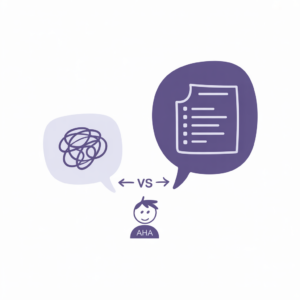
Your AI sounds like a corporate robot with a thesaurus addiction. You asked for a simple email and got four paragraphs of “I hope this message finds you well.” Sound familiar?
Here is the thing nobody tells you: AI is only as good as the instructions you give it. Bad prompt in, bad answer out. Good prompt in, and suddenly you look like the smartest person in the room.
This guide shows you exactly how to write prompts that get useful results — no computer science degree required.
Why Most AI Answers Are Terrible (And Why It Is Your Fault)
Let us get this out of the way: when ChatGPT gives you a generic, boring, or completely wrong answer, the AI is not broken. Your prompt is.
Think of it like ordering food. If you walk into a restaurant and say “give me food,” you will get something. It might be a salad. It might be a steak. It might be a bread basket and a confused look from the waiter. But if you say “I want a medium-rare ribeye with mashed potatoes, no mushrooms” — you get exactly what you want.
AI works the same way. Vague instructions get vague results.
The difference between a beginner and someone who actually gets value from AI? About 30 seconds of extra typing.
The 5 Building Blocks of a Perfect Prompt
Every great prompt has up to five elements. You do not always need all five, but the more you include, the better your results.
1. Role — Tell the AI WHO to be
Start your prompt with “You are a…” and watch the output quality jump immediately.
Without role: “Write me an email about a project delay.”
With role: “You are a senior project manager with 15 years of experience. Write me an email about a project delay.”
The second version sounds like a human wrote it. The first sounds like a chatbot wrote it. Because, well, it did.
2. Task — Tell it WHAT to do
Be specific. “Write something about marketing” is not a task. “Write a 300-word LinkedIn post about why small businesses should use email marketing instead of social media ads” — that is a task.
The clearer your task, the less editing you do afterward.
3. Context — Give it BACKGROUND
AI does not know your situation unless you tell it. Feed it context:
- Who is your audience?
- What is the purpose?
- What happened before this?
- What tone should it use?
“Write a follow-up email to a client who missed a payment deadline. The tone should be firm but professional. We have worked with them for 3 years and want to keep the relationship.”
Now the AI has something to work with.
4. Format — Tell it HOW to structure the output
Want bullet points? Say so. Want a table? Ask for it. Want it in 100 words or less? Specify.
- “Give me 5 bullet points”
- “Write this as a numbered step-by-step guide”
- “Format as a comparison table with pros and cons”
- “Keep it under 200 words”
Without format instructions, AI defaults to walls of text that nobody wants to read.
5. Constraints — Tell it what NOT to do
This is the secret weapon most people skip. Constraints remove the stuff you hate:
- “Do not use jargon”
- “No bullet points — write in flowing paragraphs”
- “Do not start with ‘In today’s fast-paced world’”
- “Avoid corporate buzzwords”
- “Do not exceed 150 words”
Constraints are like guardrails. They keep the AI from driving off a cliff into generic-content canyon.
Before and After: 4 Prompts That Transform Your Results
Let us look at real examples across different use cases.
Email Writing
Bad prompt: “Write an email to my boss asking for a raise.”
Good prompt: “You are a career coach. Write a 200-word email from an employee to their manager requesting a salary review. The employee has been in the role for 2 years, recently led a successful product launch, and exceeded Q4 targets by 20%. Tone: confident but not aggressive. Do not use the word ‘deserve.’”
Research
Bad prompt: “Tell me about solar panels.”
Good prompt: “You are an energy consultant. Explain the pros and cons of installing solar panels on a residential home in Germany in 2026. Include upfront costs, annual savings, and payback period. Format as a comparison table. Write for someone with no technical background.”
Content Creation
Bad prompt: “Write a blog post about productivity.”
Good prompt: “You are a productivity writer for a blog aimed at freelancers. Write a 500-word article titled ‘5 Morning Habits That Actually Work (From Someone Who Hates Mornings).’ Tone: casual, slightly self-deprecating, practical. Include one personal anecdote. No listicle-style — use flowing paragraphs with subheadings.”
Learning
Bad prompt: “Explain blockchain.”
Good prompt: “Explain blockchain to a 14-year-old who has never heard of it. Use a real-world analogy. Keep it under 150 words. Do not use technical terms like ‘distributed ledger’ or ‘consensus mechanism.’”
See the pattern? More detail in, better output out. Every time.
7 Mistakes That Kill Your Prompts
- Being too vague. “Write something good” is not a prompt. It is a wish.
- Asking multiple unrelated questions at once. One prompt, one task. Always.
- Not specifying length. If you want short, say short. Otherwise, prepare for an essay.
- Forgetting your audience. Content for a CEO reads differently than content for a college student.
- Not iterating. Your first prompt rarely gives a perfect result. Follow up with “Make it shorter” or “More casual tone” or “Add an example.”
- Copy-pasting the first result. AI gives you a draft, not a final product. Always review and edit.
- Using AI for facts without checking. AI can and does make things up. Verify anything factual.
10 Copy-Paste Prompt Templates
Save these. Use them. Thank us later.
Professional Email:
“You are a business communication expert. Write a [LENGTH]-word email to [RECIPIENT] about [TOPIC]. Tone: [TONE]. Include [SPECIFIC DETAIL]. Do not use [WORDS TO AVOID].”
Social Media Post:
“Write a [PLATFORM] post about [TOPIC] for [AUDIENCE]. Include a hook in the first line. End with a question to drive engagement. Keep it under [LENGTH] characters.”
Product Description:
“You are an e-commerce copywriter. Write a product description for [PRODUCT] targeting [AUDIENCE]. Highlight these benefits: [LIST]. Tone: [TONE]. Format: headline + 3 bullet points + one-line CTA.”
Meeting Summary:
“Summarize the following meeting notes into: 1) Key decisions made, 2) Action items with owners, 3) Open questions. Keep each section under 50 words. [PASTE NOTES]”
Job Application:
“You are a career coach. Write a cover letter for a [JOB TITLE] position at [COMPANY]. My relevant experience: [DETAILS]. Tone: professional but personable. Do not exceed 250 words.”
Explain Like I Am 5:
“Explain [COMPLEX TOPIC] to someone with zero background knowledge. Use a simple analogy from everyday life. Keep it under 100 words. No jargon.”
Content Repurposing:
“Take the following blog post and turn it into: 1) A Twitter thread (5 tweets), 2) A LinkedIn summary (150 words), 3) An Instagram caption with 3 hashtags. [PASTE CONTENT]”
Brainstorming:
“Give me 10 ideas for [TOPIC]. For each idea, include a one-sentence description and rate the difficulty from 1-5. Target audience: [AUDIENCE]. Avoid obvious or cliche suggestions.”
Feedback Request:
“Review the following [TEXT/CODE/PLAN] and give me: 1) Three things that work well, 2) Three specific improvements, 3) One thing I should cut entirely. Be honest and specific. [PASTE CONTENT]”
Learning Path:
“Create a 30-day learning plan for [SKILL]. Break it into weekly milestones. Include specific free resources (websites, videos, tools) for each week. Assume I can dedicate 30 minutes per day.”
How to Iterate When the First Answer Is Not Right
Here is the truth: you will rarely get the perfect answer on your first try. And that is fine. The real skill is knowing how to steer the AI in the right direction.
Think of it as a conversation, not a command.
If the output is too long: “Shorten this to 100 words. Keep the main point.”
If it sounds too formal: “Rewrite this in a casual, conversational tone. Like you are explaining it to a friend.”
If it missed the point: “Focus specifically on [X]. The current version talks too much about [Y].”
If you want alternatives: “Give me 3 different versions of this. One professional, one casual, one humorous.”
If it is almost right: “Keep everything but change the opening paragraph. Start with a question instead.”
The difference between people who love AI and people who think it is useless? The first group asks follow-up questions. The second group gives up after one try.
Bottom Line
Writing good prompts is not about being clever or knowing secret codes. It is about being specific. Tell the AI who to be, what to do, and how to do it. Add context. Set constraints. And when the first answer is not perfect, iterate.
You now know more about prompting than 90% of people using AI today. Which honestly says more about them than it does about you — but hey, we will take the win.
Now go write a prompt that makes AI actually useful for once. We believe in you.
And once you have your prompts dialed in, pair them with the right tools: check out our guide to the best AI writing tools to pair with your prompts and get even more out of every session.
—
**Affiliate Note:** Want to level up your productivity? Notion AI combines notes, tasks, and AI assistance in one workspace — perfect for organizing your prompts and workflows.
Affiliate Note: Want to turn your prompts into videos? Fliki converts text to professional videos with AI voiceover in minutes. Try it free.
Want ready-made prompts? Our Free AI Prompt Library has 50+ copy-paste prompts organized by category.